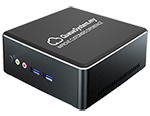
Connect to any LCD/LED TV via HDMI and display real-time queue numbers with customisable layouts, images, video, and sound alerts — no PC required.
The QD-100 is a small HDMI device that turns any LCD or LED television into a professional queue display screen. Connect it, set an IP, and your TV shows live queue numbers with sound alerts — instantly.
Plug into any TV or monitor via standard HDMI. Works with any brand — Samsung, LG, Sony, and more.
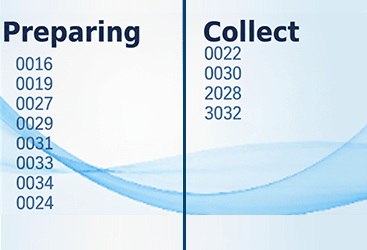
Choose from multiple layout designs or customise with your brand colours, logo, and fonts.
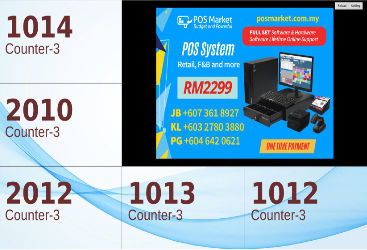
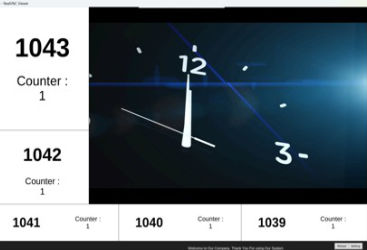
Display promotional images or company videos alongside queue numbers for better engagement.
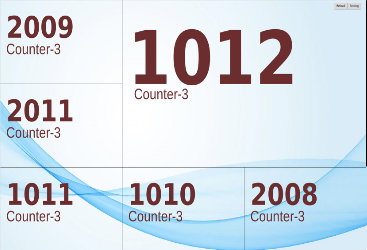
Show queue numbers from multiple counters simultaneously — perfect for banks and clinics.
Display auto-refreshes the moment a number is called. Zero delay, zero manual action.
Connect to your local WiFi — no ethernet cable runs needed. Place the TV anywhere in your premises.
Choose a ready-made layout or customise the background, fonts, colours, and logo to match your brand.
Clean dual-counter display — ideal for restaurants and F&B service areas.
5 queue numbers with integrated announcement slideshow for ads or notices.
6 counters across the full screen — ideal for clinics and multi-service centres.
Fully customisable — your background, fonts, colours, and logo exactly as you want.
No IT expertise needed — our team configures the QD-100 before delivery.
Plug the QD-100 into your TV's HDMI port and power it on.
Select your WiFi network from the QD-100 settings screen.
Enter the Queue Manager server IP in the QD-100 display settings.
Restart and your TV shows live queue numbers automatically.
The QD-100 works with all QueueSystem.my packages. Add one — or as many as you need for multiple areas.