Qsystem Virtual Queue & WhatsApp Booking System
No printer, no kiosk, no waiting room full of people watching a screen. Customers scan a QR code, fill in a short form, and their queue number arrives on WhatsApp — with a live link showing how many are still ahead. When it's their turn, a second message brings them back.
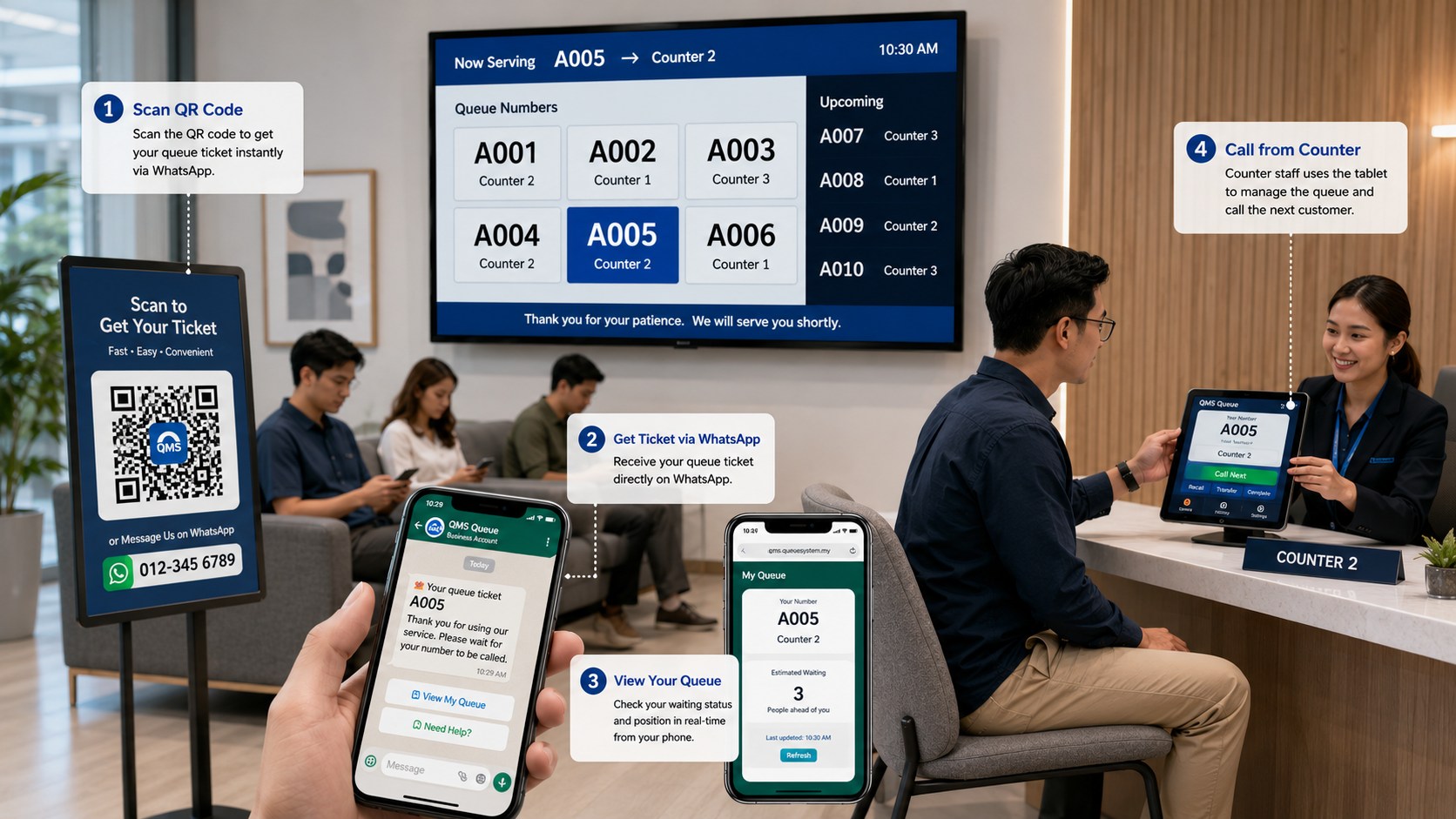
QR code to served customer, in four steps
The standard WhatsApp flow: fully automated, no paper tickets, and nothing for your customer to download. For queuing without a phone number, see Privacy Mode.
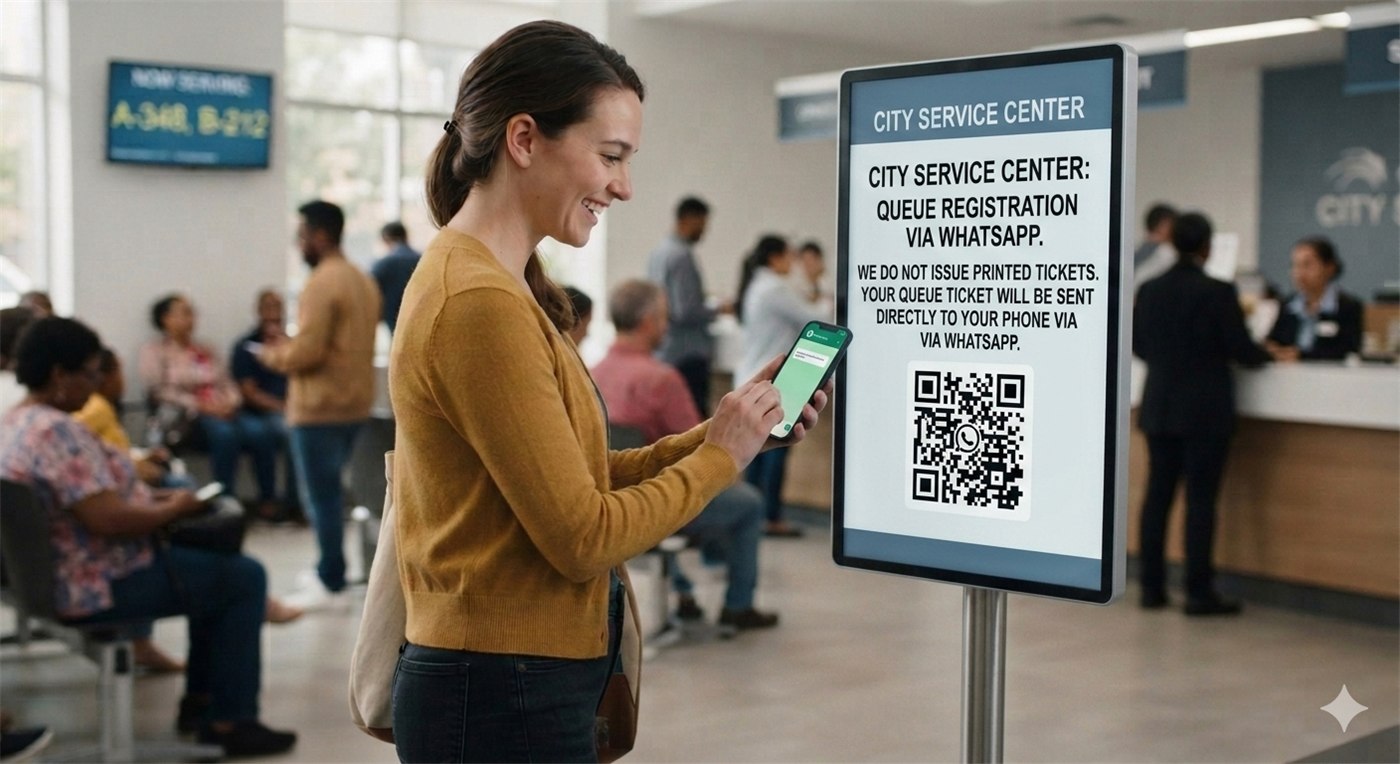
Scan the QR code
Any phone camera. No app download, no account to register. Put the QR on a stand, a poster or your website.
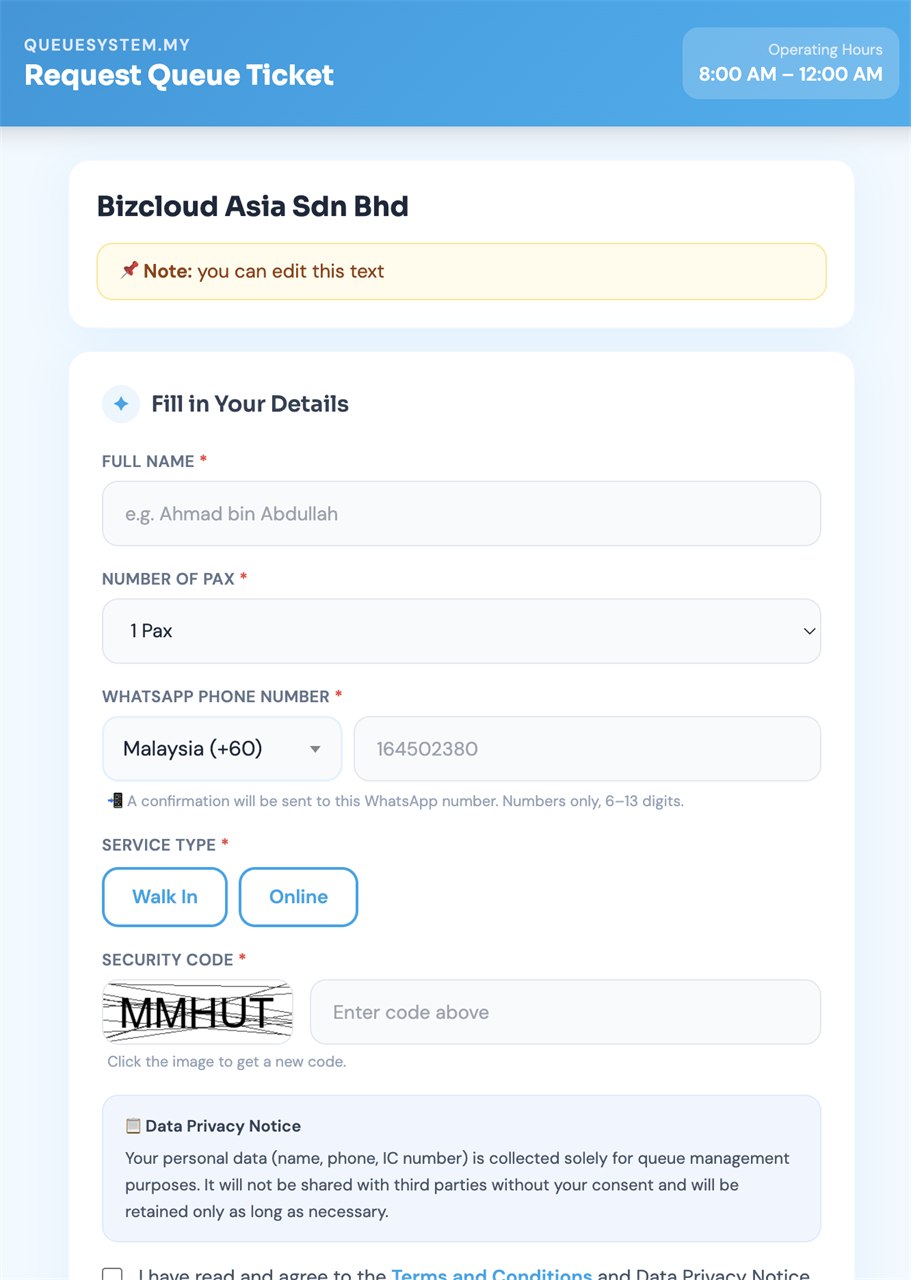
Fill the short form
Choose from eight languages, then enter a name, phone number, group size and service to join the queue.
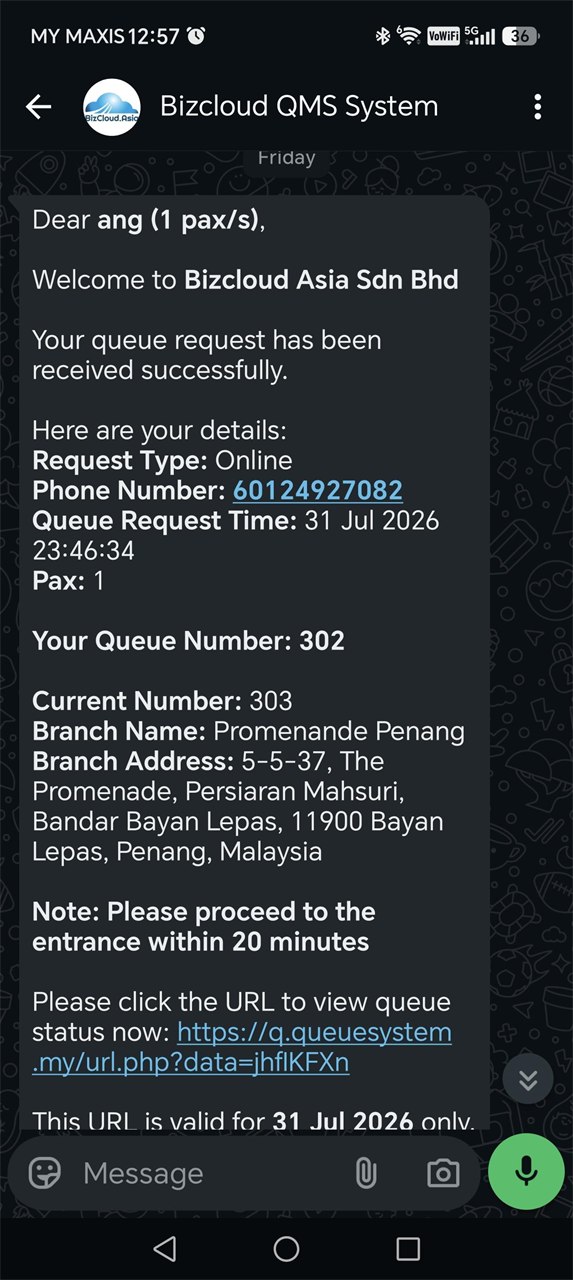
Ticket lands on WhatsApp
Queue number, who is being served now, and a live link they can open any time to check their position.
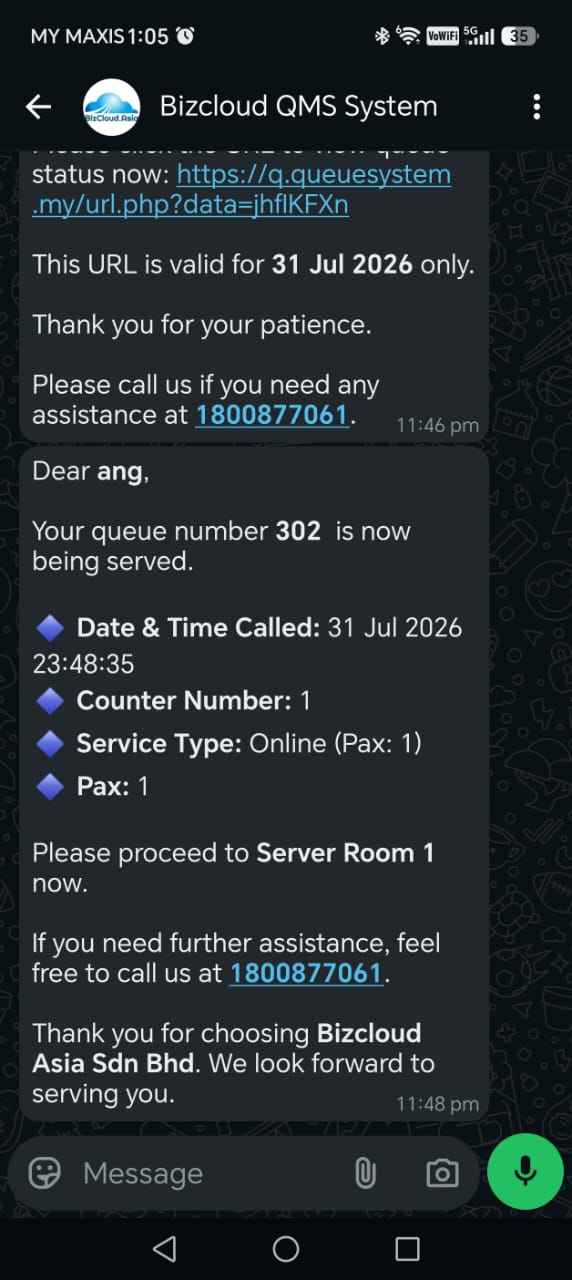
Called on WhatsApp
Staff press NEXT and a second WhatsApp goes out with the counter number. No standing in line to hear a name.
A more welcoming queue, at home and overseas
Customers can choose from eight languages on the queue request page. Selectable time zones also help businesses outside UTC+8 configure the system for their local time.
Everything happens in an app they already have
Your customers already use WhatsApp every day. That familiarity is the whole point — there is nothing to teach and nothing to install.
The ticket
Their queue number arrives immediately, together with the current queue so they can judge how long they have.
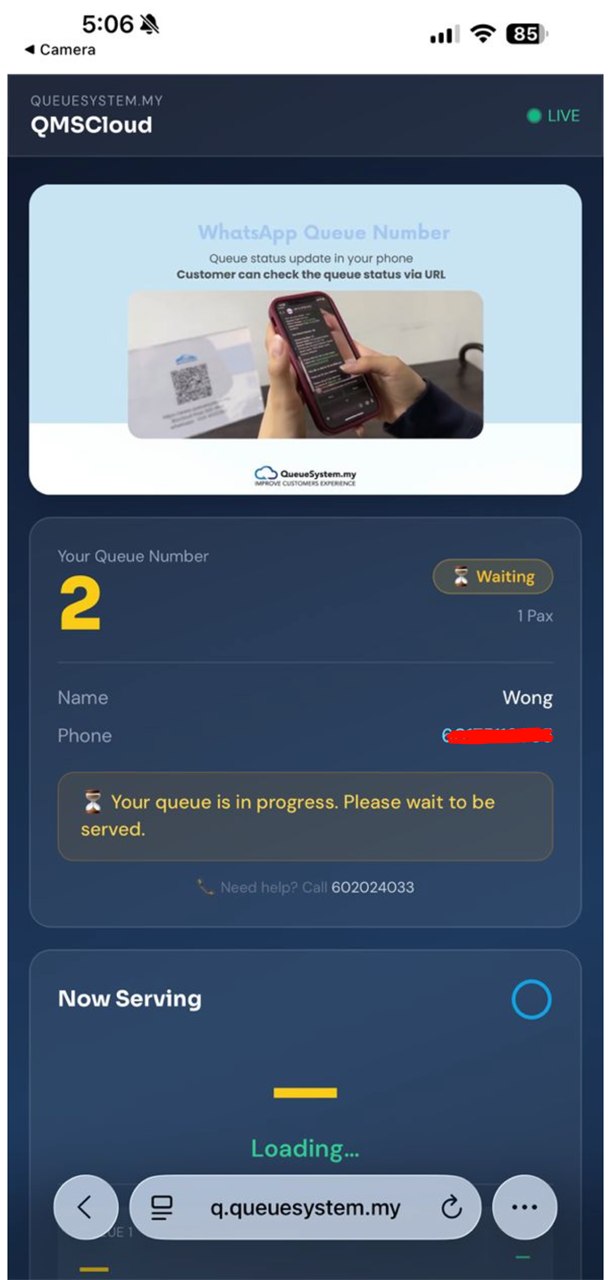
The live link
Tapping the link reopens the queue at any moment — current position, how many ahead, refreshed on demand.
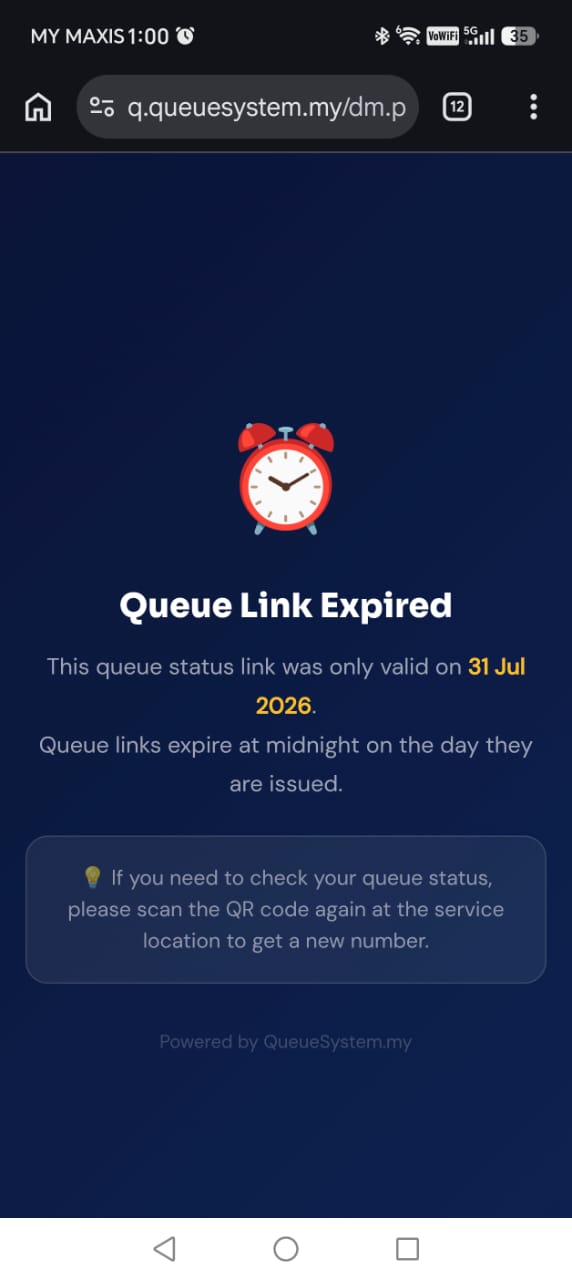
Then it expires
Links don't live forever. Once the visit is done the link expires, so an old ticket can't be reused or shared on.
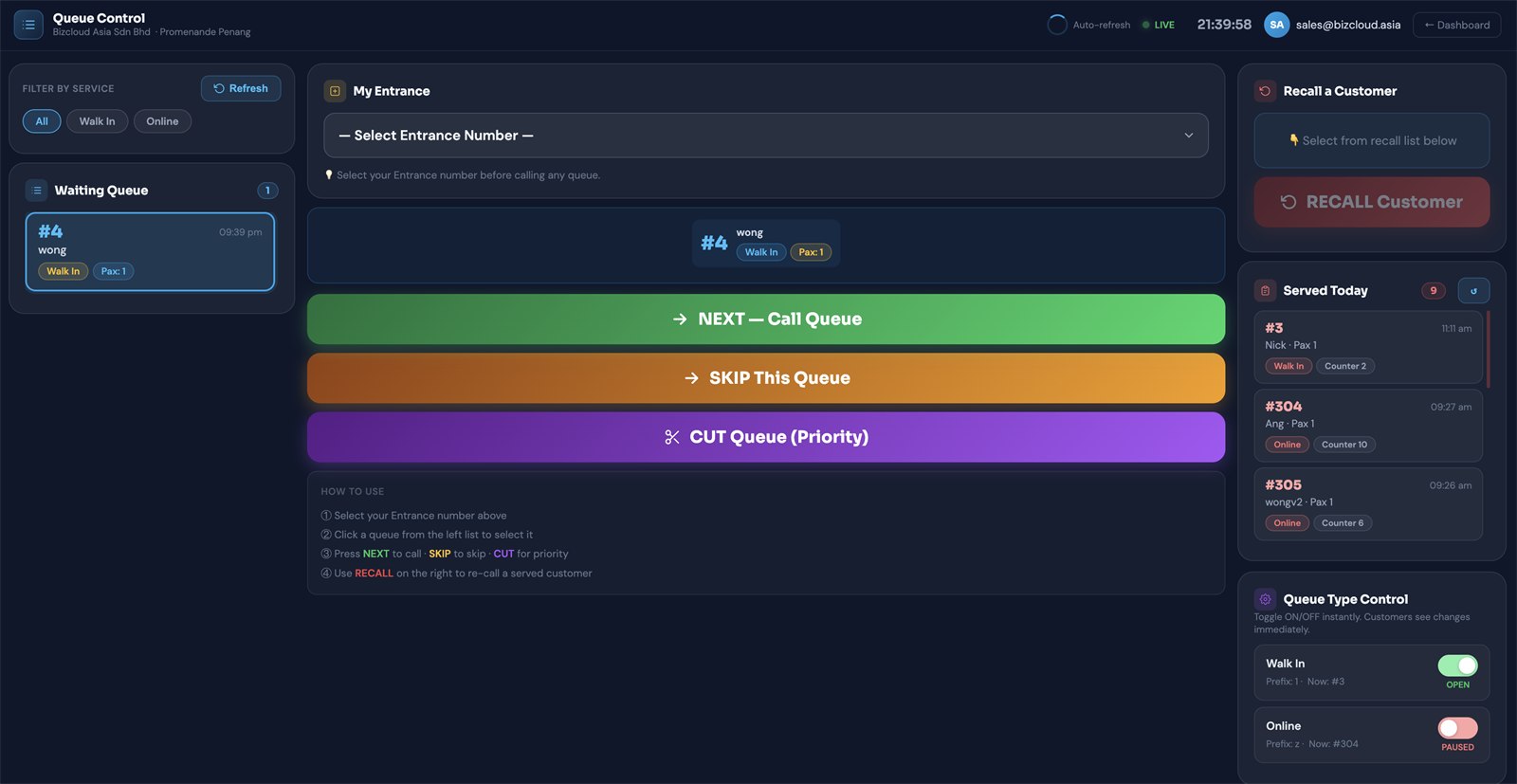
Log in, see who's waiting, press call
Everyone who scanned and submitted appears in the online queue manager. Your staff log in from any browser — no software to install — see the waiting list, and call the next customer. The WhatsApp alert goes out automatically.
- Waiting customers listed as they join
- Call the next one, or pick a specific customer
- WhatsApp notification sent automatically on call
- Live serve timer with one-tap Complete or No Show
- Works from a laptop, tablet or phone
- Nothing to install at your counter
Put it on a TV as well
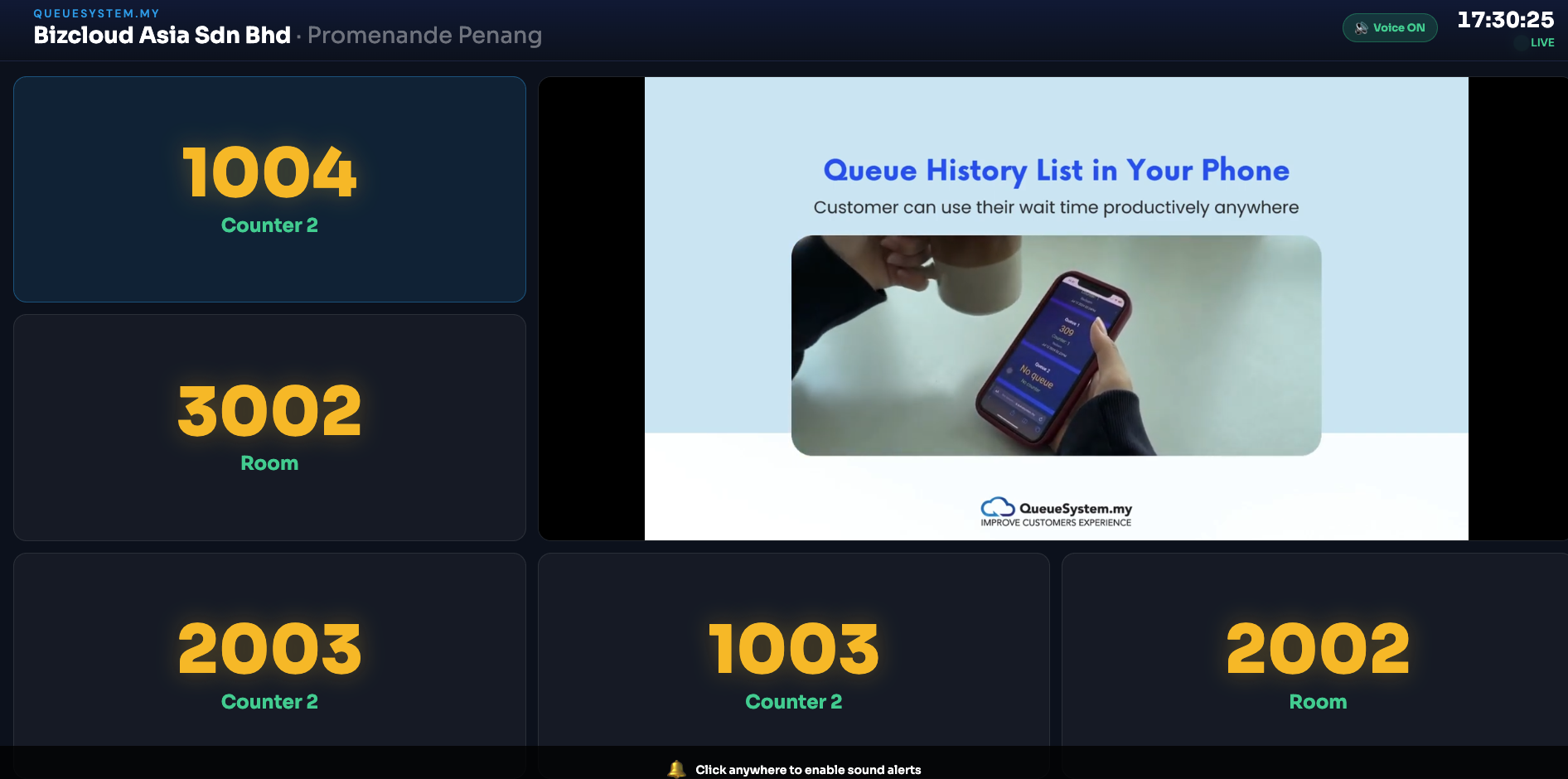
For a waiting area where people do stay in the room, add a TV display. The number being served is on screen for everyone, exactly as it would be with an on-premise system — while the WhatsApp alert still reaches whoever stepped out.
- Shows the number currently being served
- Visible to everyone in the waiting area
- Runs alongside the WhatsApp notifications
- Layout chosen by you in the portal, with a live preview
- Any TV or monitor with a browser
What it changes about waiting
Nobody crowds the counter
People stop hovering when they know the phone will tell them. The area in front of your counter empties out.
Nothing to download
No app, no account, no login for the customer. Customers using WhatsApp are ready to go. Those without WhatsApp can join at branches using Optional or Privacy Mode.
You find out what's really happening
Arrival times, waiting times and volumes are recorded, so staffing decisions stop being guesswork.
| WhatsApp virtual queue | On-premise system | |
|---|---|---|
| Hardware on site | A printed QR code | Printer, display, counter PCs |
| Customer gets | A WhatsApp message | A printed ticket |
| Can they leave? | Yes — called back on their phone | They watch the TV display |
| Needs internet | Yes | No — runs on your LAN |
| You capture contacts | Yes in the standard flow; no CRM contact in Privacy Mode | No |
| Commercials | Yearly subscription | One-time purchase |
Plenty of customers run both — the on-premise system at the counter, WhatsApp for people who'd rather not wait in the room.
Everything is recorded, and links don't linger
Multiple reports online
Queue volumes, waiting and serving time per counter, and customer satisfaction from the smiley kiosk, available in the portal whenever you want them.
Links expire
A queue link is good for that visit only. Once it's done, it expires — it can't be reused or passed around.
Admin login
Only signed-in staff see the waiting list and call customers, from wherever they happen to be.
Scan it yourself before you decide
The live demo puts you through exactly what your customers would experience — QR code to queue number to being called. Two minutes, your own phone.